

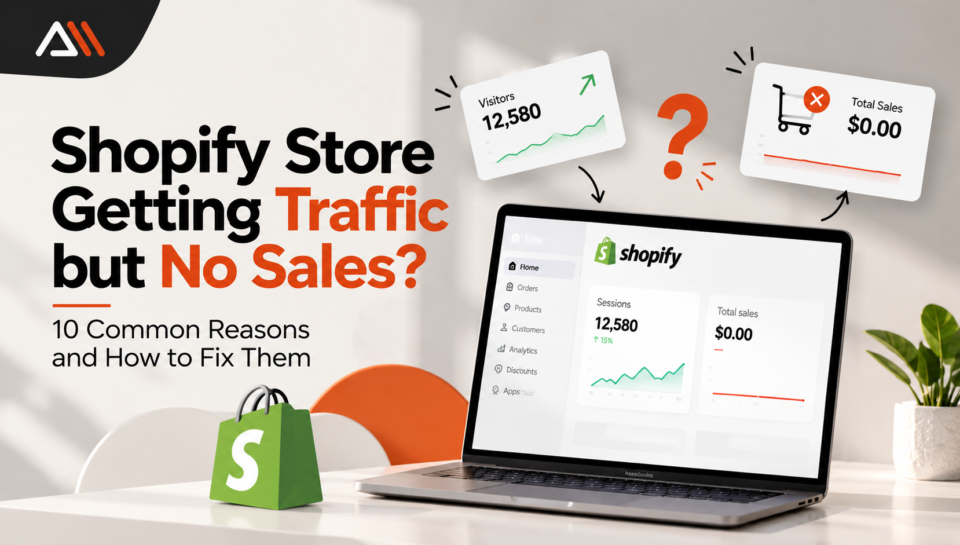
Getting visitors to your online store feels exciting. You open your Shopify dashboard, see people visiting your website and expect orders to start coming in.
But then something frustrating happens.
People visit your store, look around, and leave without buying anything.
If your Shopify store is getting traffic but no sales, you might wonder whether your products are wrong, your prices are too high, or your website has a problem.
The good news is that low sales do not always mean your business idea is failing. Sometimes, small problems in your store make shopping difficult or stop visitors from trusting your brand.
In this guide, we will explain 10 common reasons why a Shopify store gets visitors but no orders. More importantly, you will learn how to identify the real problem and fix it.
Why Is My Shopify Store Getting Traffic but No Sales?
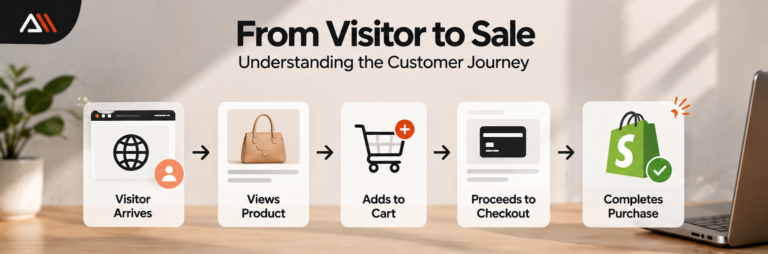
Your Shopify store can receive visitors without making sales because traffic and buying interest are two different things.
Some people visit to compare prices. Others are looking for information, not products. And some customers want to buy but leave because the checkout process is confusing.
For example, imagine that 500 people visit your clothing store. Many look at your products, but nobody places an order.
The problem could be your audience, product descriptions, shipping charges, payment options, or website experience.
Instead of changing everything at once, you need to understand where customers are leaving.
Let’s look at the most common reasons.
1. You Are Attracting the Wrong Audience
Not every website visitor is a potential customer.
You might receive hundreds of visitors from social media, Google, or paid advertisements. But if those people are not interested in your products, they probably will not buy.
Imagine you sell premium handmade bags, but your advertisement attracts people searching for cheap school bags.
You are getting traffic, but it is not the right traffic.
How to Fix It
Start by understanding your ideal customer.
Ask yourself:
Who needs my products?
What problem does my product solve?
What price range can my customers afford?
Where do my potential customers spend time online?
Then review your traffic sources in Shopify Analytics.
If a social media campaign brings many visitors but very few product views or cart additions, the campaign might be attracting the wrong audience.
Focus on reaching people who are actually interested in what you sell.
Quick tip: One hundred visitors who want your product can be more valuable than a thousand visitors who are only curious.
2. Your Product Pages Do Not Answer Customer Questions
Think about the last time you bought something online.
Did you purchase it without checking the pictures, price, size, or product details?
Probably not.
Customers want enough information to feel confident before spending money.
If your product pages have unclear descriptions, poor images, or missing details, visitors may leave to find answers somewhere else.
How to Fix It
Make every important product page helpful and easy to understand.
Include:
Clear product images from different angles
Simple descriptions that explain the product’s benefits
Accurate sizes, colors, and materials
Delivery information
Return or exchange details
Answers to common customer questions
For example, instead of writing:
“Beautiful leather bag. High quality.”
Try:
“A compact everyday bag with an adjustable shoulder strap, two inside pockets, and enough space for your phone, wallet, and keys.”
The second description helps customers imagine how they would use the product.
Avoid making claims such as “100% genuine leather” unless they are true.
3. Your Shopify Store Looks Untrustworthy
When customers visit a new online store, they often ask themselves one question:
Can I trust this website with my money?
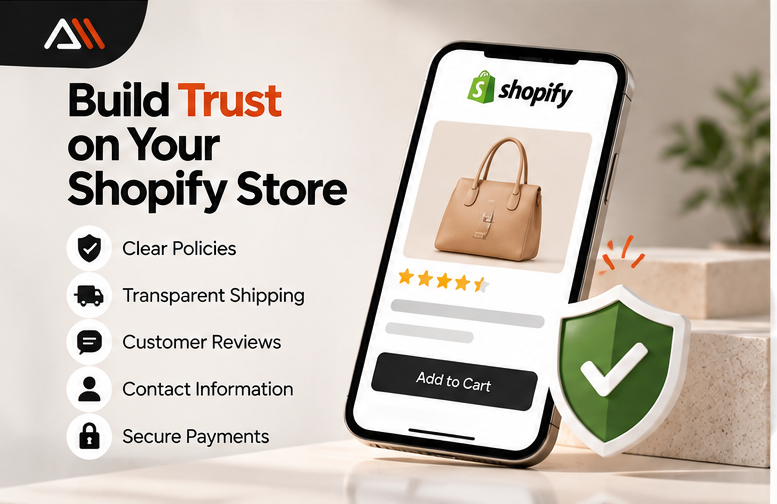
A confusing design, missing contact details, or unclear store policies can make people hesitate.
Even if your products are excellent, customers may leave if they cannot find basic information about your business.
How to Fix It
Start with the essentials.
Create a clear About Us page that explains your business.
Make your contact information easy to find. Display accurate shipping, return, refund, and privacy policies.
Use real product photos whenever possible.
If you have genuine customer reviews, show them on relevant product pages.
Also, make sure your store uses a secure HTTPS connection.
Do not add fake reviews, false guarantees, or security badges that do not represent actual protections.
Remember: A professional store should not only look attractive. It should help customers feel informed and comfortable.
4. Your Website Is Too Slow
A slow website can make shopping frustrating.
Imagine clicking on a product, waiting for the image to load, and then waiting again when you try to open the cart.
Would you keep shopping?
Some visitors will, but others may leave.
Large images, heavy apps, unnecessary animations, and poorly optimized themes can affect your Shopify store’s performance.
How to Fix It
Start by testing your website on a mobile phone.
Open the homepage, product pages, and cart. Notice whether anything feels slow or difficult to use.
Then:
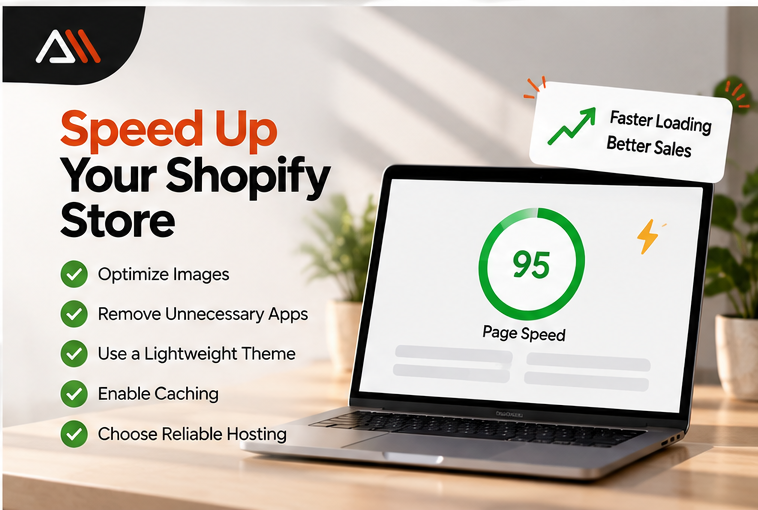
Compress large images without making them blurry.
Remove apps you no longer need, after checking their dependencies.
Avoid unnecessary animations and videos.
Review your theme’s performance.
Test important pages using Google PageSpeed Insights.
You can use Google PageSpeed Insights to review loading performance and suggestions.
Do not remove essential apps or make major theme changes without creating a backup or testing safely.
5. Your Store Is Difficult to Use on Mobile
A Shopify store might look beautiful on a laptop but become difficult to use on a phone.
Buttons may be too small. Product images might not fit properly. The menu could be confusing.
Customers should not need to zoom in repeatedly just to read a product description or select a size.
How to Fix It
Check your store on different mobile screen sizes.
Pay attention to the following:
Can visitors find products easily?
Is the Add to Cart button visible?
Are product images clear?
Can customers select variants without problems?
Is the checkout process easy to follow?
Keep navigation simple.
For example, a clothing store might use clear categories such as Women’s Clothing, Men’s Clothing, Accessories, and New Arrivals.
Avoid filling your mobile screen with too many pop-ups.
A mobile-friendly store makes browsing easier and reduces unnecessary frustration.
6. Your Prices or Shipping Costs Surprise Customers
Sometimes, visitors like a product until they see the final price.
A product might appear affordable on its page, but unexpected delivery charges or extra fees can change the customer’s decision.
Other customers may compare your price with similar products and decide to wait.
How to Fix It
Be transparent about costs.
Display accurate product prices and explain shipping charges before customers reach the final payment step whenever possible.
If you offer free shipping above a certain order value, explain the conditions clearly.
You can also review competitor pricing, but do not automatically lower your prices.
Instead, consider whether your product offers additional value through quality, packaging, support, or delivery.
For example, if two stores sell similar products, customers might prefer the one that clearly explains delivery times and return conditions.
Quick tip: Customers should understand what they are paying for before they commit to buying.
7. Your Checkout Process Has Problems
A visitor who reaches checkout is showing stronger buying interest than someone who only opens your homepage.
But reaching checkout does not guarantee a purchase.
Customers may leave because their preferred payment method is unavailable, a discount code fails, or an unexpected error appears.
How to Fix It
Test the complete buying journey.
Check whether customers can:
Add a product to their cart.
Select the correct product variant.
Enter their delivery details.
Choose an available shipping method.
Complete payment successfully.
Use Shopify’s supported test-order methods rather than making unnecessary real purchases.
Review your payment settings and confirm that your chosen payment providers support the countries where you sell.
Also check whether shipping zones and delivery options are configured correctly.
A small checkout problem can affect customers who were otherwise ready to buy.
8. You Are Not Recovering Abandoned Checkouts
Not every customer who leaves checkout has lost interest.
Some get distracted. Others want to compare options or finish buying later.
An abandoned checkout happens when a customer begins checkout but does not complete the order.
Depending on your Shopify setup, you may be able to use checkout recovery automations to remind eligible customers about unfinished purchases.
How to Fix It
Review your abandoned checkout information and recovery settings in Shopify.
Look for patterns.
Are customers leaving after seeing shipping costs? Are certain payment methods failing? Are people abandoning the same products?
If appropriate, set up a polite recovery message that helps customers return to their checkout.
For example:
“Still thinking it over? Your selected items are waiting. Return whenever you’re ready to complete your order.”
Keep recovery messages helpful rather than aggressive.
Follow applicable marketing consent and privacy requirements, and remember that not every abandoned checkout is eligible for an automated message.
For more information, read Shopify’s official abandoned checkout guide.
9. Your Store Does Not Give Customers a Clear Reason to Buy
Visitors may like your products but still wonder:
Why should I buy from this store instead of another one?
If your website looks similar to dozens of other online shops, customers might not understand what makes your business special.
This is where your unique selling point becomes important.
How to Fix It
Think about what your business genuinely does well.
Maybe you offer handmade products, personalized designs, useful product bundles, or responsive customer support.
Explain these benefits clearly.
For example:
Weak message: “We sell beautiful home accessories.”
Better message: “Handmade home accessories designed for small spaces and everyday living.”
The second message gives shoppers a clearer idea of the products and who they are for.
Your unique selling point does not need to sound complicated.
It simply needs to answer the customer’s question: Why choose you?
10. You Are Getting Traffic but Not Tracking Customer Behavior
This is one of the biggest mistakes beginners make.
They check how many people visited their Shopify store, but they never investigate what those visitors did.
Without that information, it becomes difficult to understand why sales are low.
For example, two stores might each receive 300 visits and no orders.
In the first store, almost nobody opens a product page.
In the second store, many visitors add products to their carts but leave during checkout.
These stores have different problems and need different solutions.
How to Fix It
Open your Shopify admin and go to Analytics > Reports.
Look for reports that show conversion performance, traffic sources, landing pages, and customer behavior. Available reports can vary by store and plan.
Pay attention to these stages:
| Customer action | What it helps you understand |
|---|---|
| Visits your store | How much traffic you receive |
| Views a product | Whether visitors explore your products |
| Adds an item to cart | Whether visitors show buying interest |
| Reaches checkout | Whether visitors move toward payment |
| Completes a purchase | Whether visits turn into orders |
Shopify’s official Behavior reports guide explains how to examine conversion-related data.
Look for the stage where the biggest drop happens.
That is often a useful place to begin investigating.
How to Check Your Shopify Store Conversion Rate
Your conversion rate tells you what percentage of online store sessions resulted in a purchase.
A simplified formula is:
Conversion Rate = (Sessions With Purchases ÷ Total Sessions) × 100
For example, suppose your Shopify store receives 1,000 sessions and 15 of those sessions result in orders.
Your conversion rate would be:
(15 ÷ 1,000) × 100 = 1.5%
This means 1.5% of the sessions resulted in a purchase.
However, there is no single conversion rate that every Shopify store must achieve.
Results can vary depending on your products, prices, traffic sources, customer needs, and business model.
Instead of comparing your store with a random online number, begin by measuring your own results and tracking changes over time.
Also, remember that analytics tools may count sessions differently.
What Should You Fix First if Your Shopify Store Has No Sales?
Trying to fix ten problems in one day can become overwhelming.
A better approach is to identify where your customers stop moving forward.
Use this simple troubleshooting table.
| What you notice | What to investigate first |
|---|---|
| High traffic, very few product views | Audience targeting and navigation |
| Product views, but few cart additions | Product pages, prices and trust |
| Cart additions, but few checkouts | Shipping costs and cart experience |
| Checkouts started, but no orders | Payment methods, errors and unexpected charges |
| Many mobile visits, poor mobile results | Mobile design and usability |
These are possible explanations, not guaranteed diagnoses.
Make one meaningful improvement at a time, then compare the results over a reasonable period.
That way, you can learn what is actually helping your business.
Can SEO Help a Shopify Store Get More Sales?
Yes, SEO can help a Shopify store attract people who are searching for relevant products.
But SEO does not automatically turn visitors into buyers.
Imagine you sell handmade candles.
A visitor searching for “how candles are made” may only want information.
Someone searching for “buy handmade vanilla candles” may be closer to making a purchase.
Both searches can bring traffic, but their intentions are different.
To improve your Shopify SEO:
Write clear product titles that describe what you sell.
Use original, helpful product descriptions.
Organize products into relevant collections.
Add descriptive image alt text.
Create useful content that answers customer questions.
Make important product pages easy to navigate.
Check that product information, availability, and prices are accurate.
Google also supports product structured data, which can make eligible product information available for richer search experiences.
You can learn more from Google’s official product structured data documentation.
Remember, better visibility creates opportunities for sales. Your store still needs to provide a good shopping experience.
When Should You Get Professional Shopify Help?
Some problems are easy to fix yourself.
You might update a product description, improve images, or make shipping information clearer.
But other issues may require technical experience.
For example, you might need professional help when:
Your store has repeated checkout or payment errors.
Your Shopify theme has mobile layout problems.
Your store remains slow after basic improvements.
Apps conflict with important store features.
You need custom Shopify design or development work.
If you are unsure where to start, a professional store audit can help identify problems before you spend more money on advertising.
At Arsln Mak IT Solutions Agency, we work with businesses that need website development, Shopify solutions, and digital marketing support.
A well-planned store should make it easier for customers to find products, understand what they are buying, and complete their orders.
Frequently Asked Questions
Why is my Shopify store getting traffic but no sales?
Your store might be attracting the wrong audience, providing unclear product information, or creating problems during checkout. Review your analytics to identify where visitors leave before deciding what to fix.
How do I know why customers are not buying from my Shopify store?
Check Shopify Analytics for traffic sources, product engagement, cart additions, and completed purchases. Test your store on mobile and desktop, and review the checkout process for errors.
Is it normal to get Shopify visitors but no orders?
Yes, especially when a store is new or has limited traffic. Some visitors are browsing rather than buying. However, repeated visits without orders are a reason to investigate your audience, store experience, and checkout.
Can a slow Shopify website reduce sales?
A slow or difficult-to-use website can discourage visitors from continuing to shop. Improving loading performance and mobile usability may help reduce frustration.
Should I run more ads if my Shopify store has no sales?
Not immediately. First check whether your existing visitors are reaching product pages, adding items to carts, and completing checkout. Spending more on ads before fixing major store problems may bring additional traffic without solving the underlying issue.
How long does it take to get the first Shopify sale?
There is no fixed timeline. It depends on product demand, pricing, traffic quality, customer trust, and marketing. Focus on testing your store and understanding customer behavior rather than expecting sales within a guaranteed number of days.
Final Thoughts
Seeing traffic without sales can be disappointing, especially when you have spent time building your Shopify store.
But more visitors are not always the answer.
Sometimes, your store needs clearer product information. Sometimes, customers need better payment options. And sometimes, the real issue is that your marketing is reaching people who are not ready to buy.
If your Shopify store is getting traffic but no sales, start by reviewing your analytics, testing the buying process, and fixing the problems that affect your customers most.
You do not need to rebuild your entire store overnight.
Start with one issue, make a useful improvement, and measure what changes.
Need help improving your Shopify store?
Visit Arsln Mak IT Solutions Agency to explore professional website and Shopify development support.